01Cull
Every pick is yours
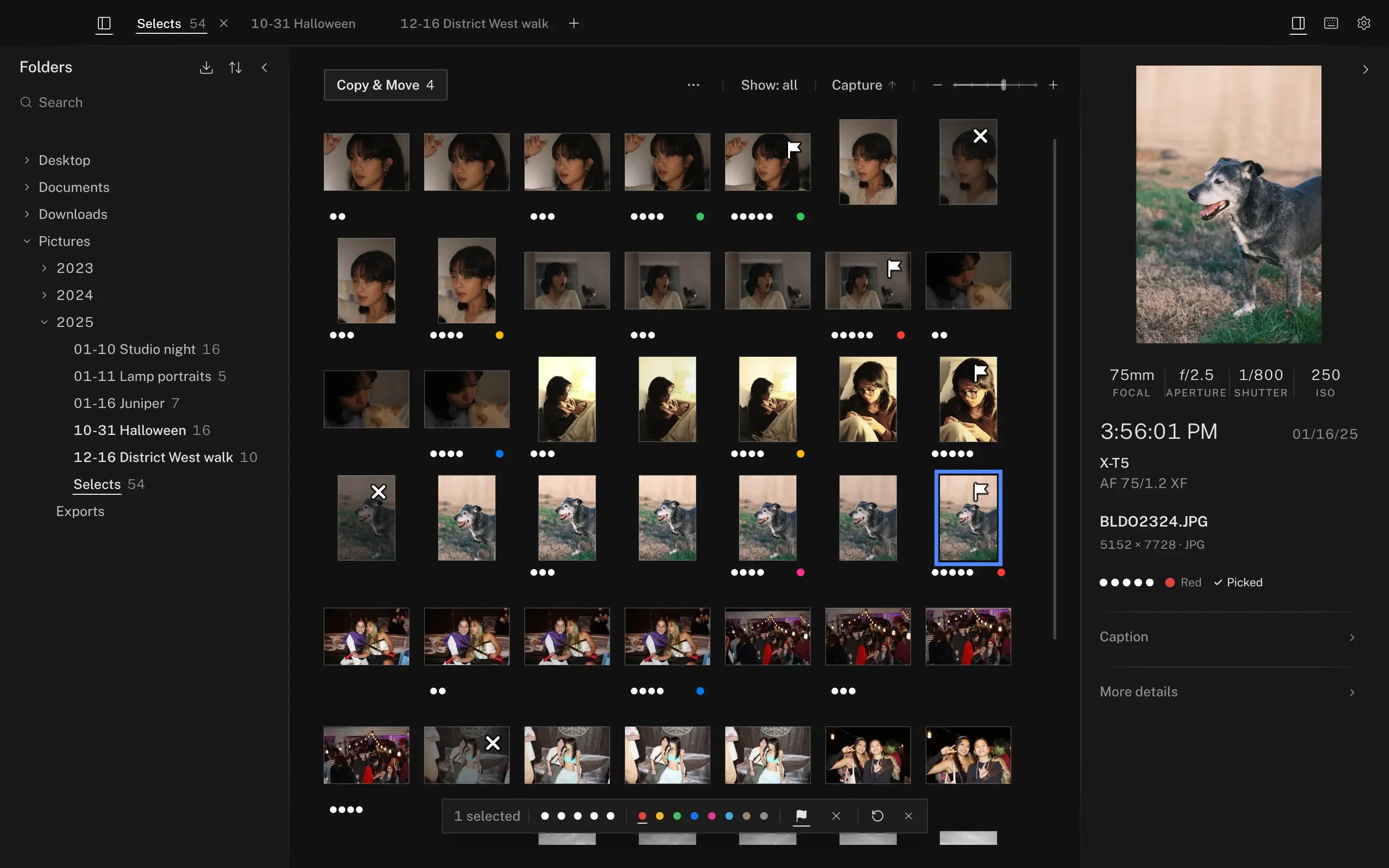
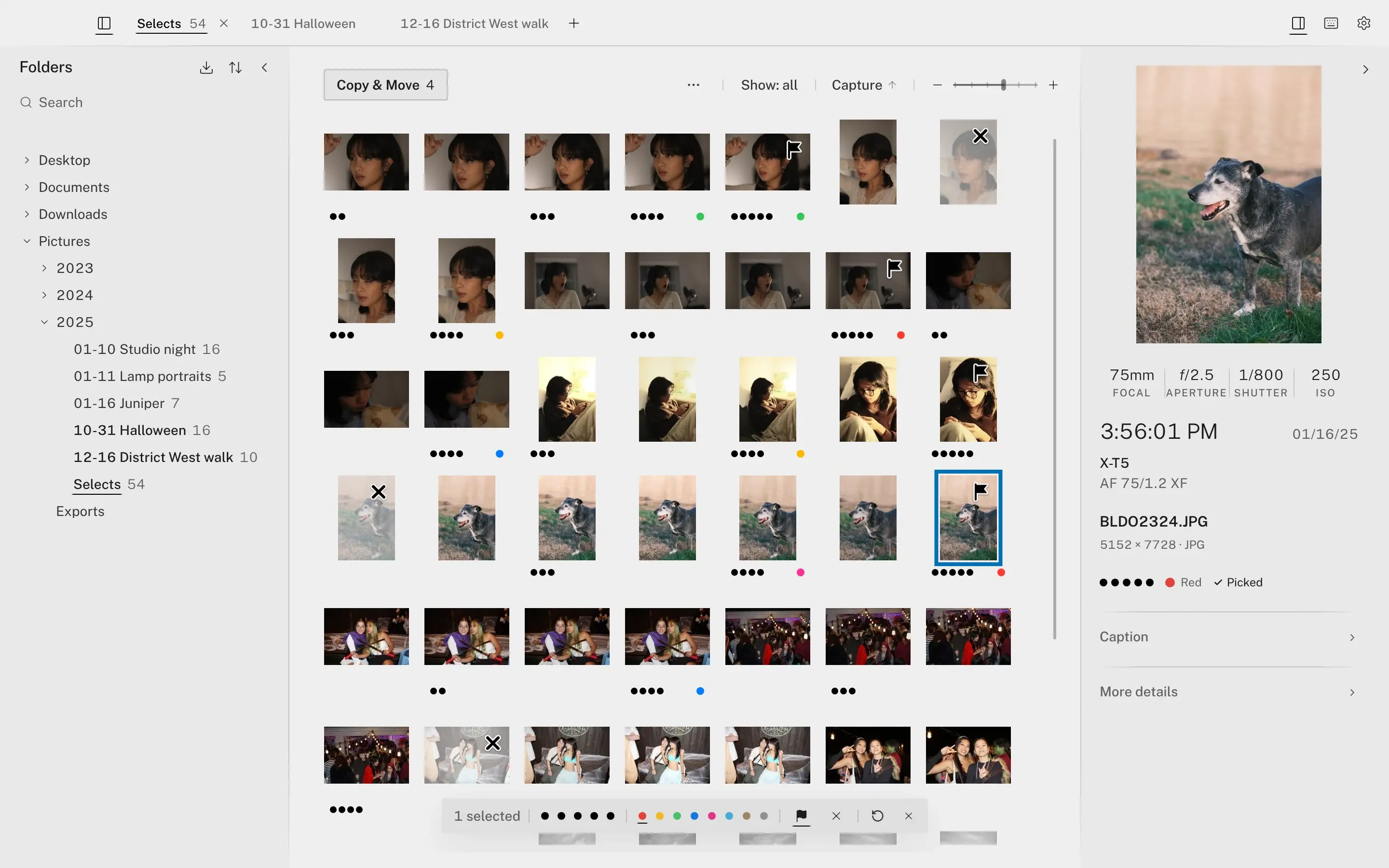
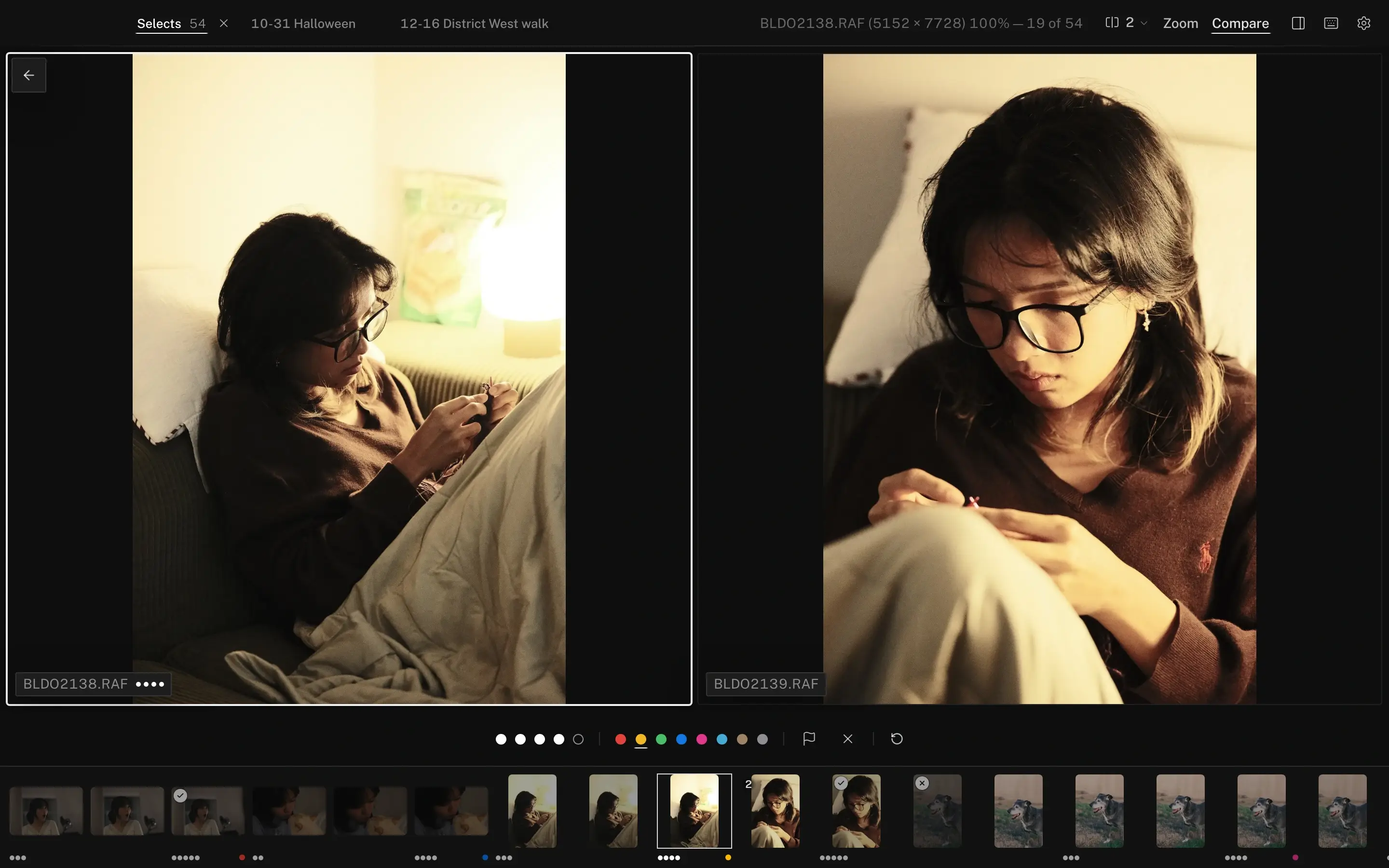
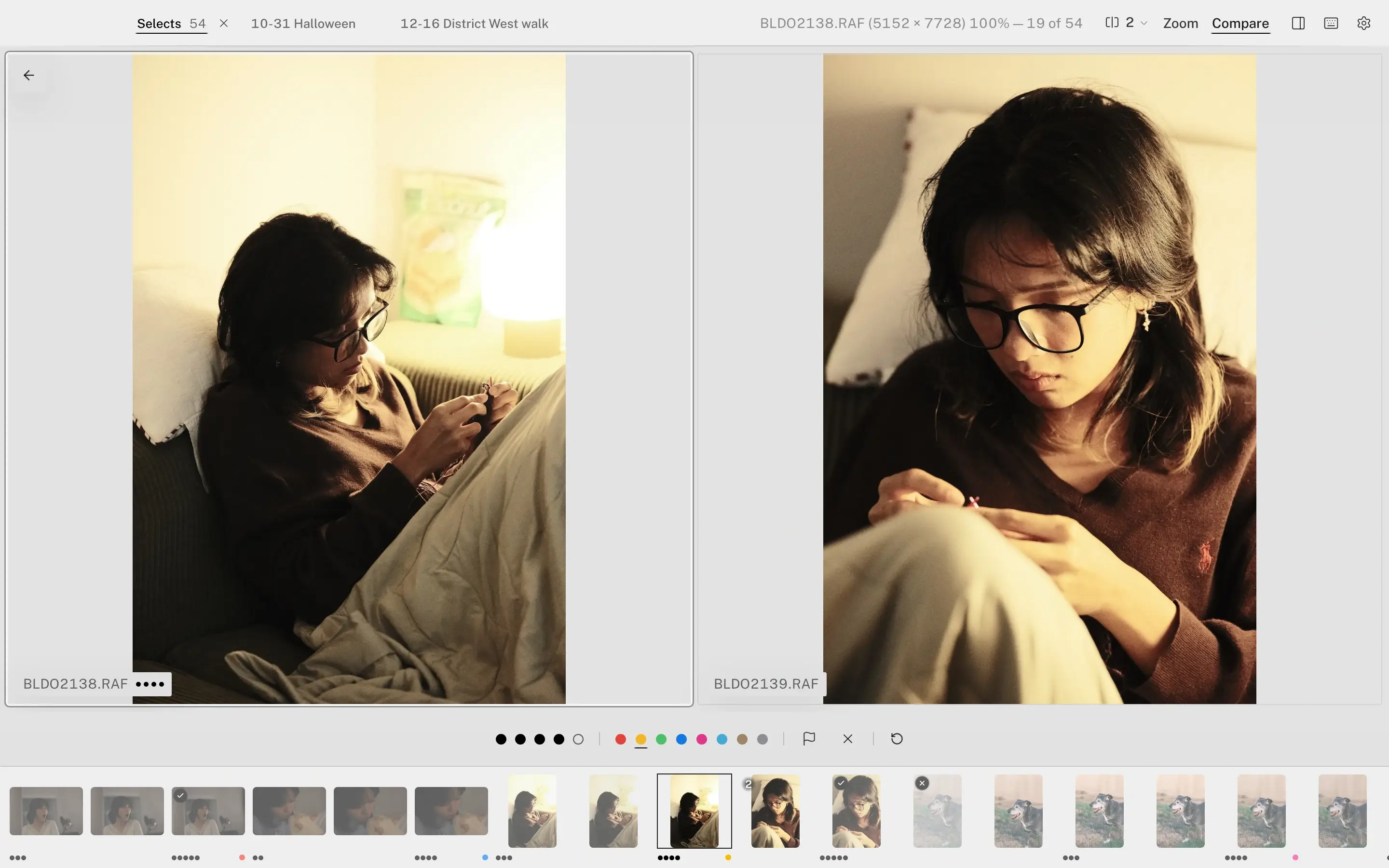
Arrow through the take. X rejects, a number rates, T picks. Put up to six frames side by side and move each on its own.
Copy off the card, cull from the keyboard, caption and send — in one window, on the folders already on your drive.
macOS and Windows
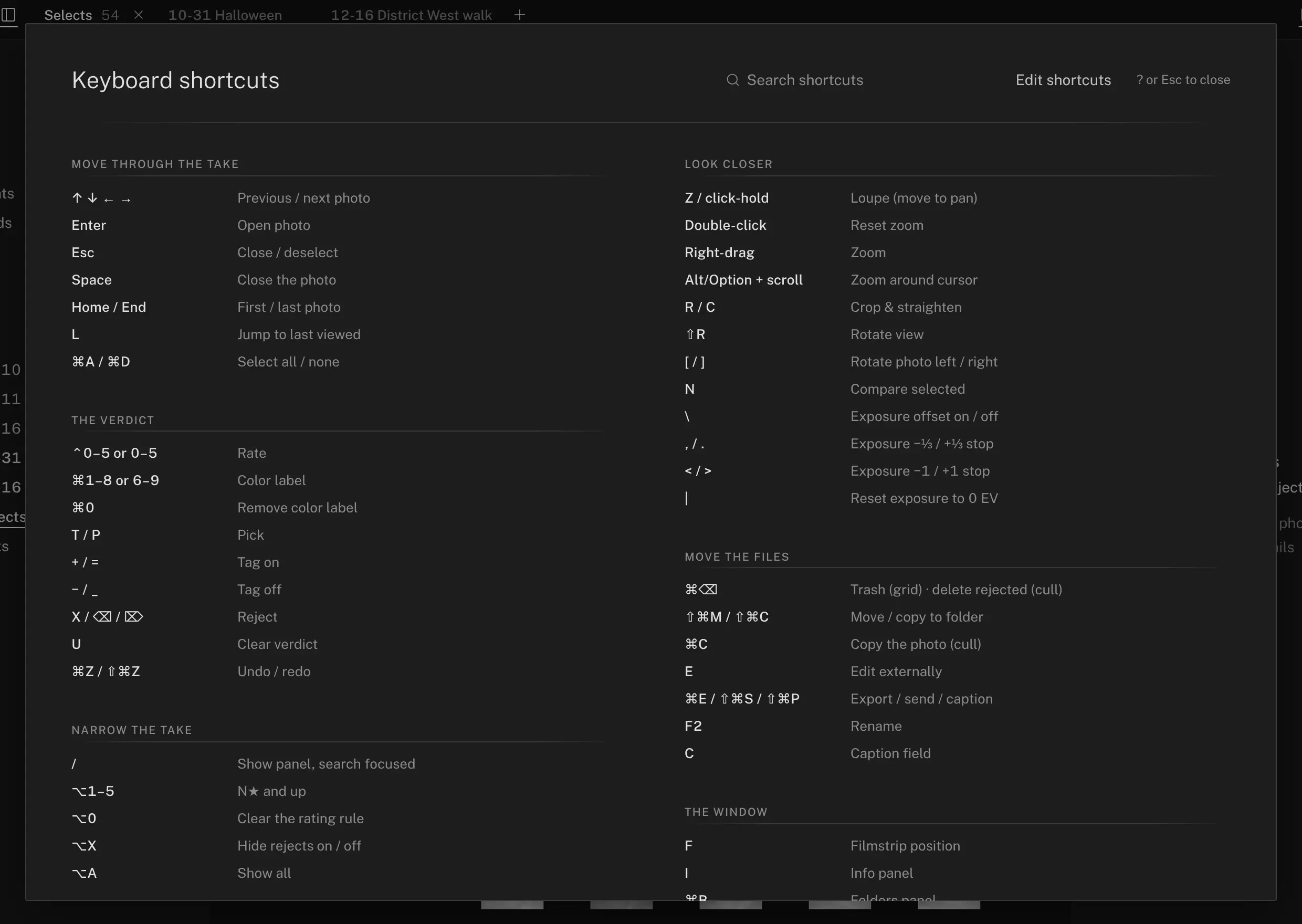
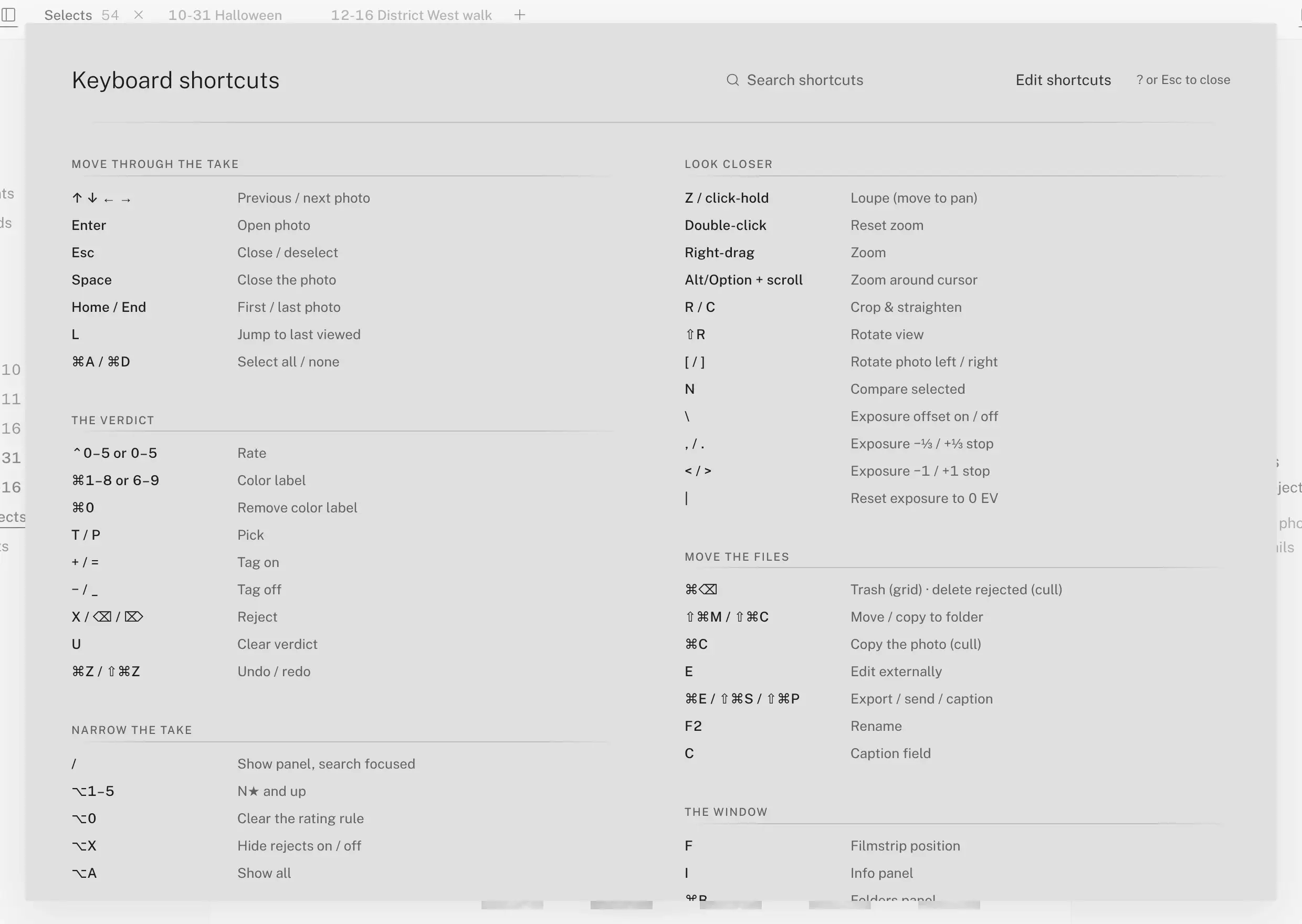
Keyboard first
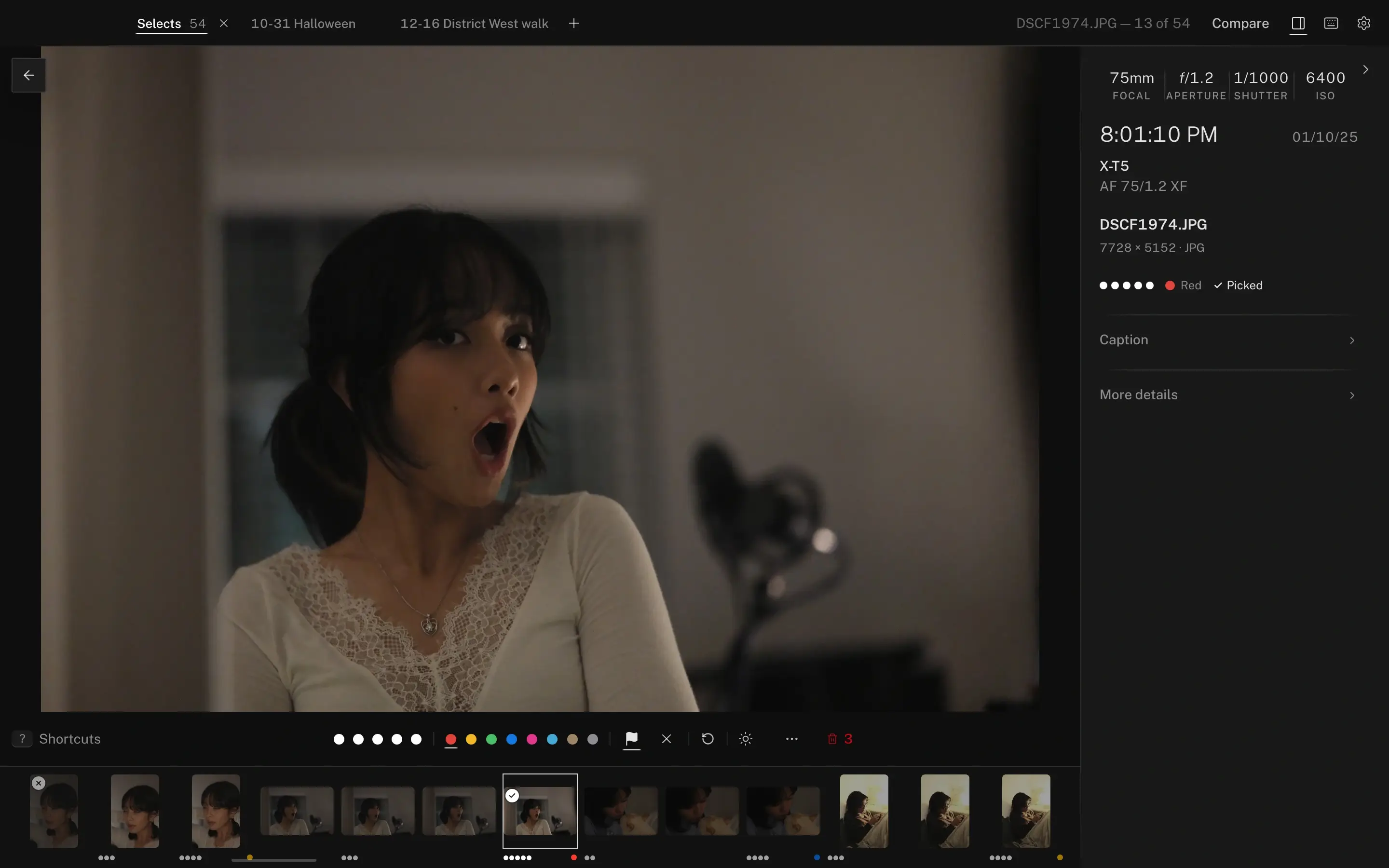
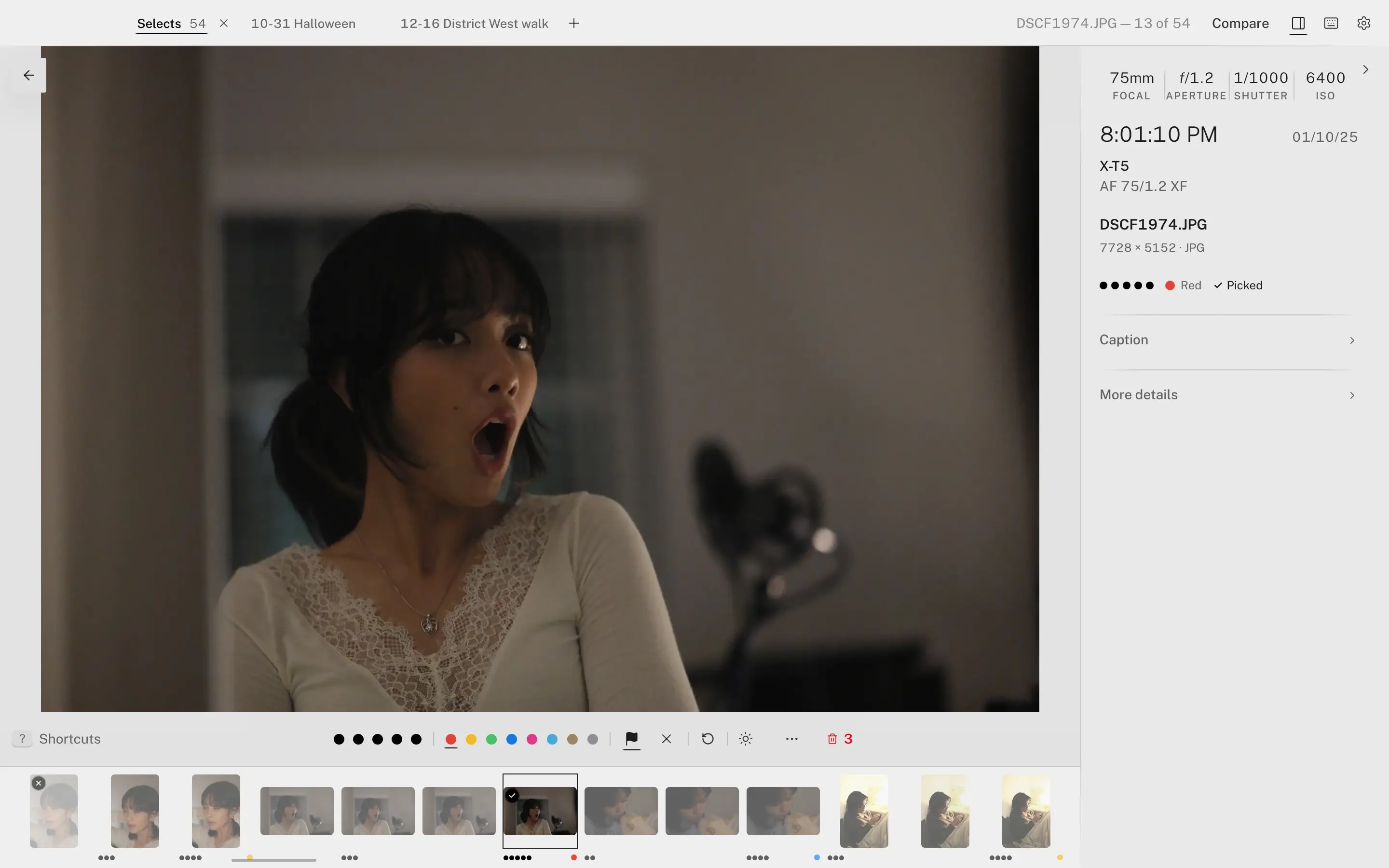
You already know which frames are keepers. The work is getting through them — so every decision is one key, and the next frame is already there.
These are the defaults. Most can be reassigned in Settings — the arrows, Home, End, Enter, Esc and the help key stay fixed. Nothing in Lamplit rates a frame for you: auto advance moves to the next one the moment you decide, and undo covers the whole batch.
Format support
We ran Lamplit’s own preview code over 2,792 real raw files and checked every picture against an independent render. 97.8% show the right picture. Every file that doesn’t is named, with the reason.
Ingest from card
Your photos go straight from the card to your drive, and to a backup if you set one — into dated folders, renamed with your template if you like, RAW and JPEG pairs and their sidecars together.
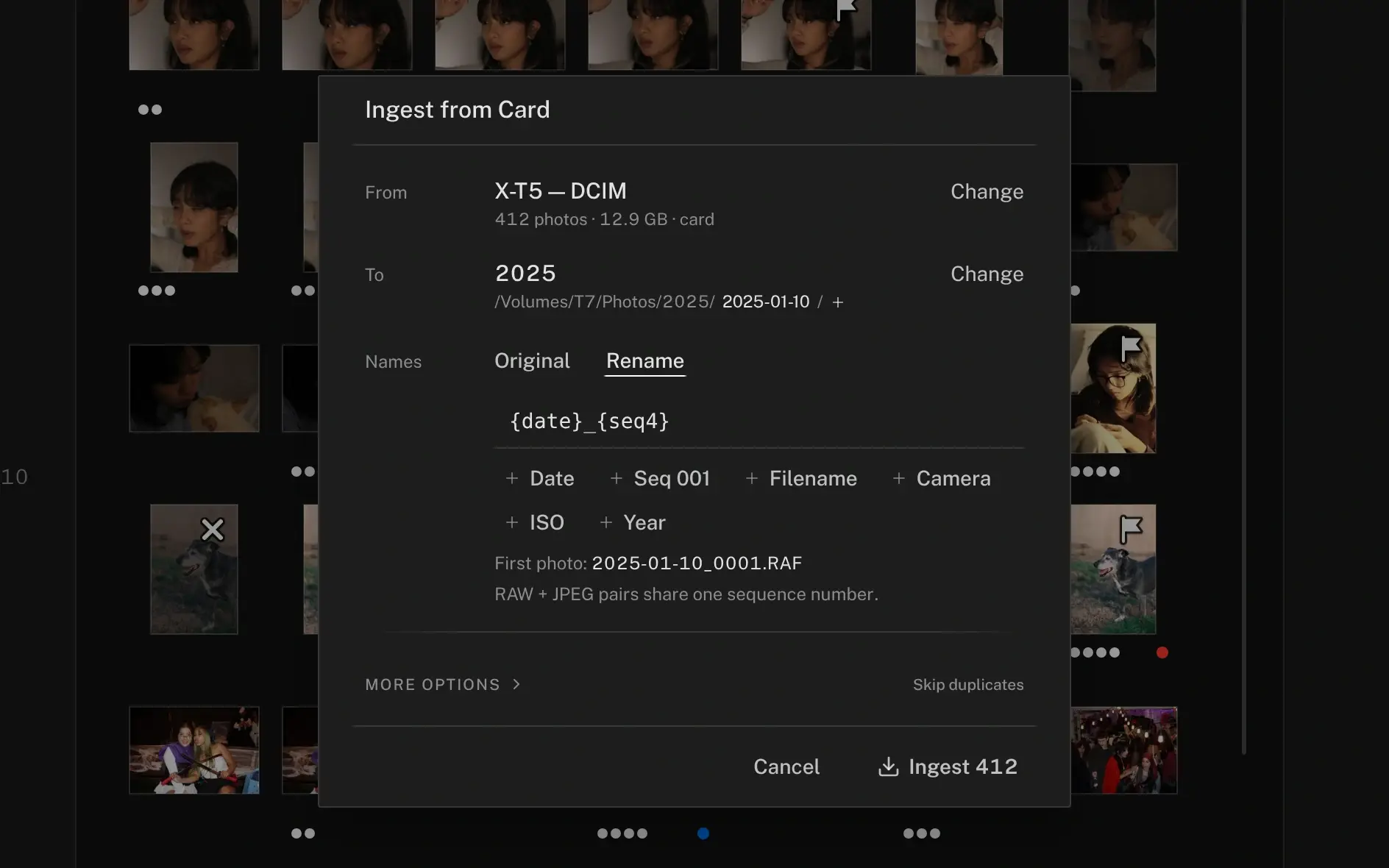
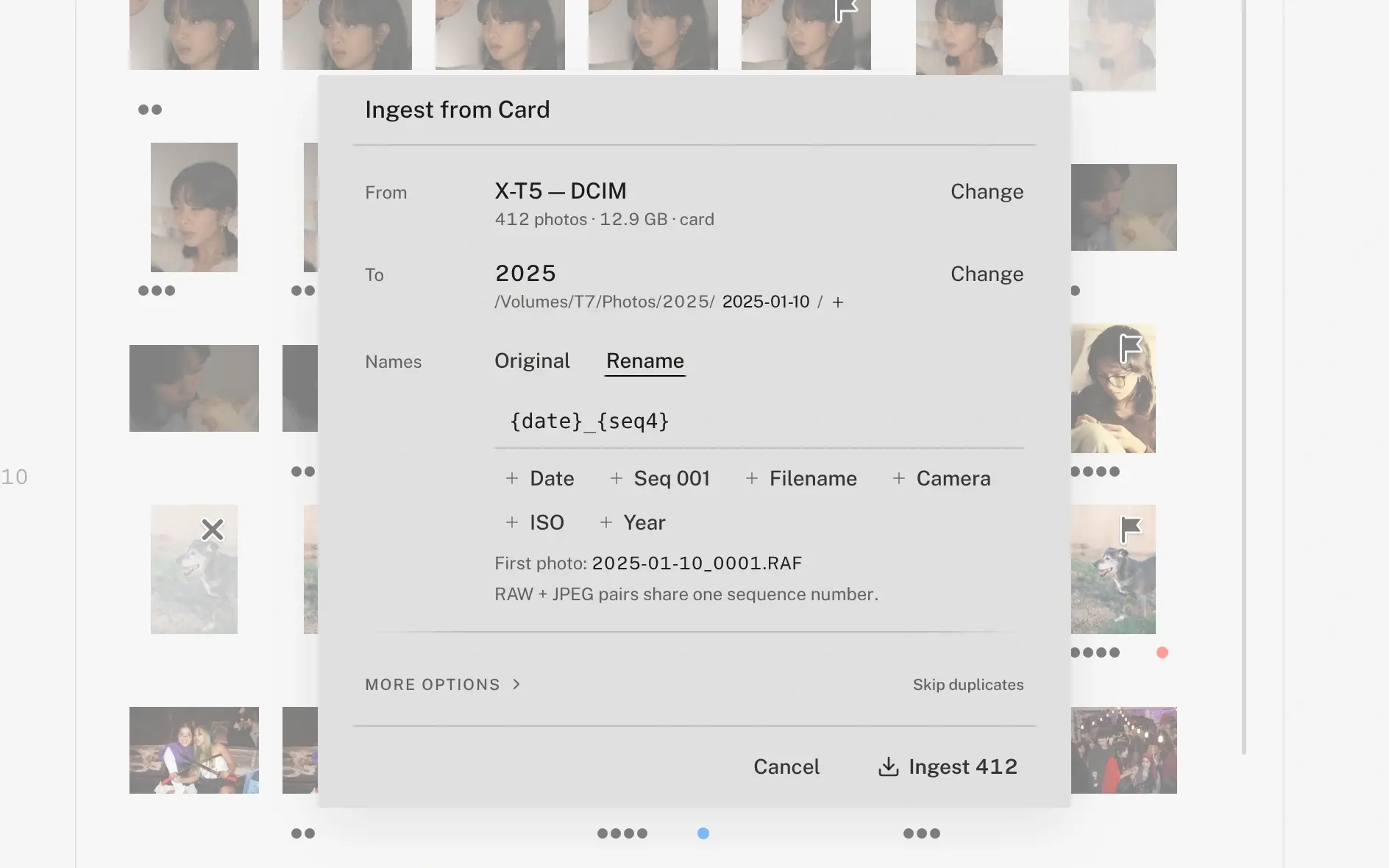
The whole loop
Every step in one window. AI cullers touch the first and hand you back for the rest.
Arrow through the take. X rejects, a number rates, T picks. Put up to six frames side by side and move each on its own.
IPTC and XMP written together, patched in place — what Lightroom wrote stays written. Set your credit once; it fills blank fields and never overwrites one.
Copy & Move into dated folders, export resized JPEGs under your own naming template, or send to the desk over FTPS or SFTP.
Plus crop and straighten, an exposure preview that never touches the file, capture-time sync, GPS and place names, batch rename and folder watching. The keyboard reference is one page, and it prints.
External drives
Shoot drives, card readers and network shares are where the work lives. Lamplit treats them as normal, not as a problem.
Plainly
Nothing ranks your frames or suggests a select.
Crop, straighten and an exposure preview — none of it written into your original.
It opens the folders already on your disk.
Not a plugin. Doesn’t need Creative Cloud.
Seven reasons to use something else, each naming the tool to use instead, are on who it isn’t for.
Who it’s for
Eight thousand frames from a Saturday, due Monday. Tabs and sessions survive a restart.
Built for the desk deadline, with the IPTC a wire service expects.
School days and league nights. Batch rename, capture-time sync across bodies, filters that find one kid.
Provenance
Two people: one writes the software, one shoots for a living in Seattle and has been the harshest user of every build. The longer version is on About.
Small waves, so every report gets a real answer. Everyone in the beta keeps $59 a year, permanently.
We’ll email you when Lamplit can be downloaded, and about your trial. Product news only if you tick the box and confirm. No list sharing, ever.
macOS 10.15 or newer — universal (Apple silicon and Intel) · Windows 10 or newer — x64 and ARM64